Link & Clipboard
Manager for Windows

Unify browser bookmarks, file shortcuts, and clipboard content in one hotkey-driven tool.

.NET 8Framework
Win 10+Platform
Apache 2.0License
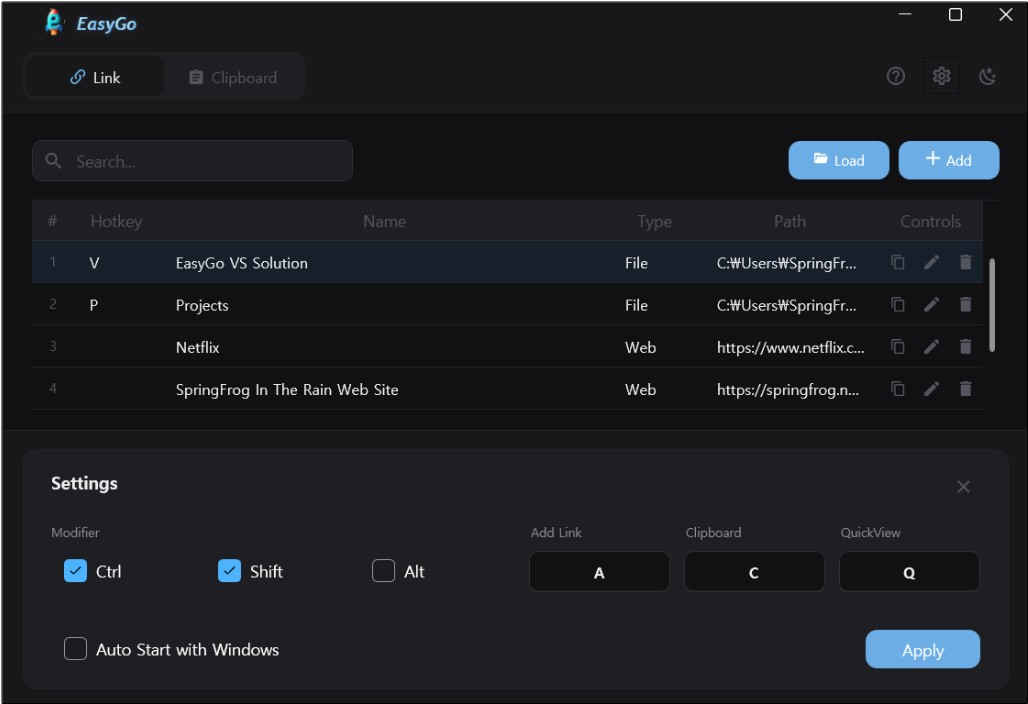
EasyGo Screenshot

Core Features

๐Ÿ”— Link Tab

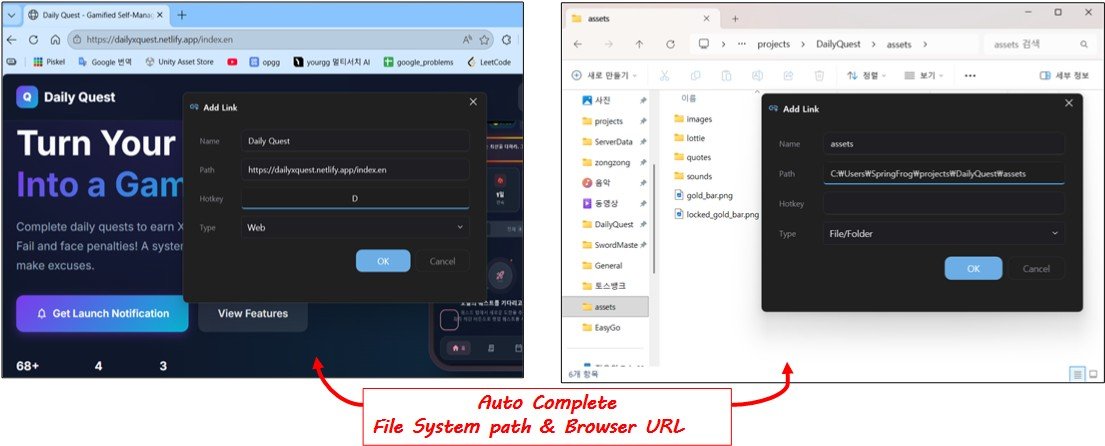
Manage files, folders, and URLs in one place.

  • Ctrl+Shift+A to add from Explorer/Browser
  • Custom hotkeys per item
  • Double-click to launch, right-click to copy path
Link Tab

๐Ÿ“‹ Clipboard Tab

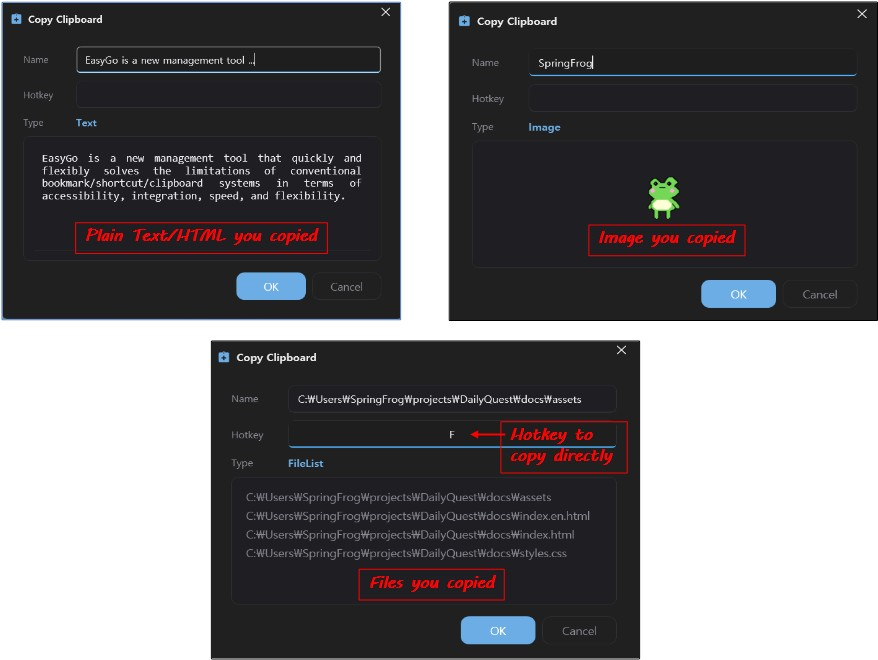
Store text, HTML, images, and file lists permanently.

  • Ctrl+Shift+C to save clipboard
  • Supports multiple formats
  • Double-click to copy
Clipboard Tab

โšก QuickView

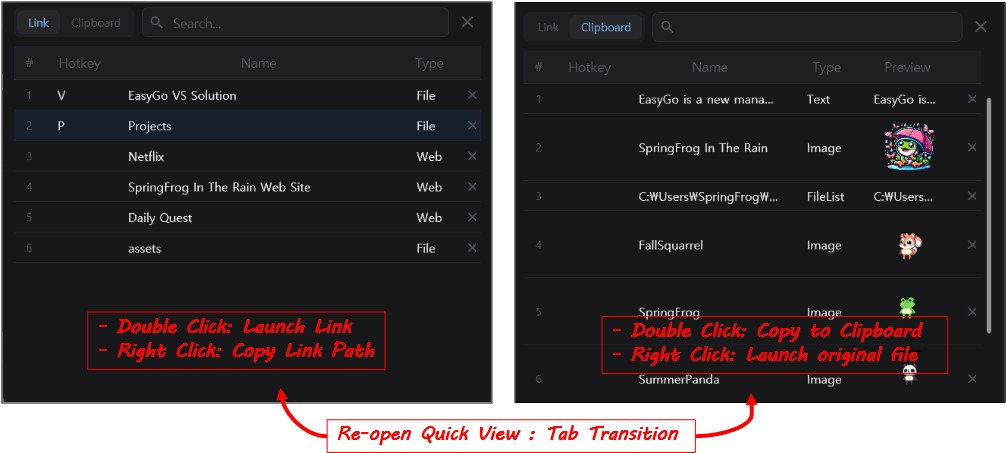
Instant popup access from anywhere.

  • Ctrl+Shift+Q to open popup
  • Press again to switch tabs
  • Search and filter in real-time
QuickView

โŒจ๏ธ Custom Hotkeys

Fully customizable shortcuts

๐Ÿ” Real-time Search

Find items instantly

โ†•๏ธ Drag & Drop

Reorder with ease

๐Ÿ“Œ System Tray

Always ready in background

Who is EasyGo for?

Whether you're a developer, designer, or office worker, EasyGo helps you work faster.

๐Ÿ‘จโ€๐Ÿ’ป

Developers

Quick access to project folders, documentation, API references, and frequently used code snippets.

  • Jump to any project in seconds
  • Store reusable code templates
  • Keep API docs one hotkey away
๐ŸŽจ

Designers

Organize design files, reference images, color codes, and brand assets in one place.

  • Access design files instantly
  • Store color codes & specs
  • Quick reference to guidelines
๐Ÿ“Š

Office Workers

Manage frequently used documents, email templates, and standard responses efficiently.

  • Launch reports with one click
  • Store email templates
  • Quick access to shared folders
๐ŸŽ“

Researchers & Students

Keep research papers, reference materials, and citation templates organized and accessible.

  • Organize research materials
  • Quick access to references
  • Store citation formats

Demo

Download EasyGo

Windows 10+ ยท .NET 8 Required